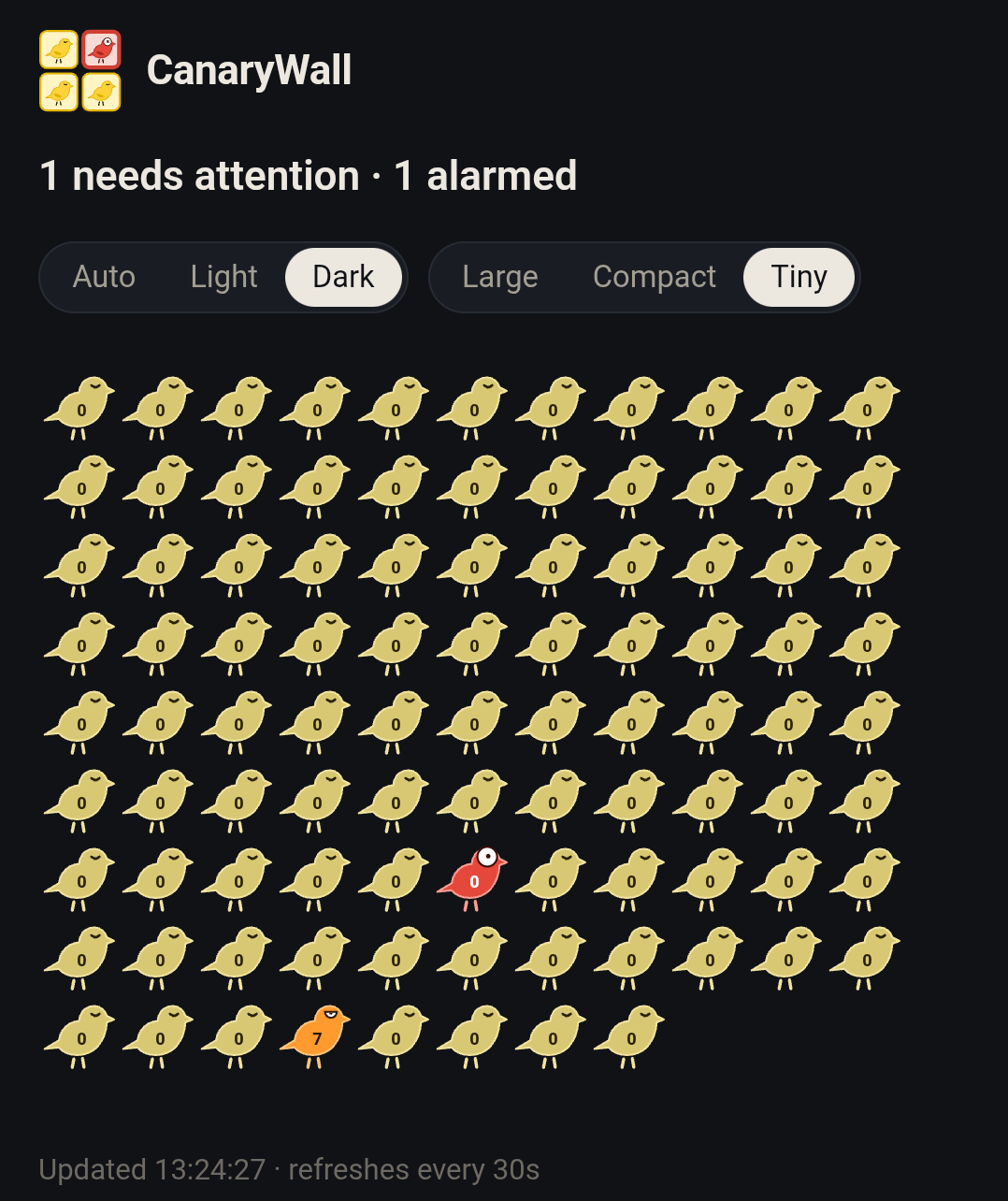
Can you spot the one canary who needs some attention and the one in actual distress?
◇◆◇◆◇◆◇◆◇◆◇◆◇◆◇◆◇◆◇
I have a lot of computery things that manage important parts of my life: servers, household automations, my web site, email server, solar inverters, etc. They all run in the background, doing their jobs on auto-pilot. Out of sight, out of mind.
But that means that if any of them fail, I might not notice for days. And a lot of bad things can happen during that time, so I try to stay on top of checking them, but I’m still caught off guard too often, finding some critical system dead for days.
But on the other hand, I’m already drowning in a tsunami of the bleeps and blurps of nonstop notifications from my phone, so I don’t really want to add more noise to my life. Hell, I’m in the habit of ignoring them. So I needed a different way to deal with system failures.
Which is why I wrote CanaryWall: to keep an eye on them for me - virtual canaries in my coal mines that will squawk loudly as soon as something fails.
For every system or device I want to keep an eye on, I write a canary - a simple script that can check the target and report its health. Then CanaryWall runs all my canaries (each on its own frequency schedule) and draws their results in a single, easy-to-scan display, which I’ve set as my browser’s default starting page.
Now, instead of checking 25 individual things every few days, as I was doing, I can quickly scan one display every time my browser opens and immediately notice when anything needs my attention. It’s not a full interrupt-driven alert system, but I’m fine with that. I’m now scanning all my system 6-8 times per day, instead of only checking some of them every few days.
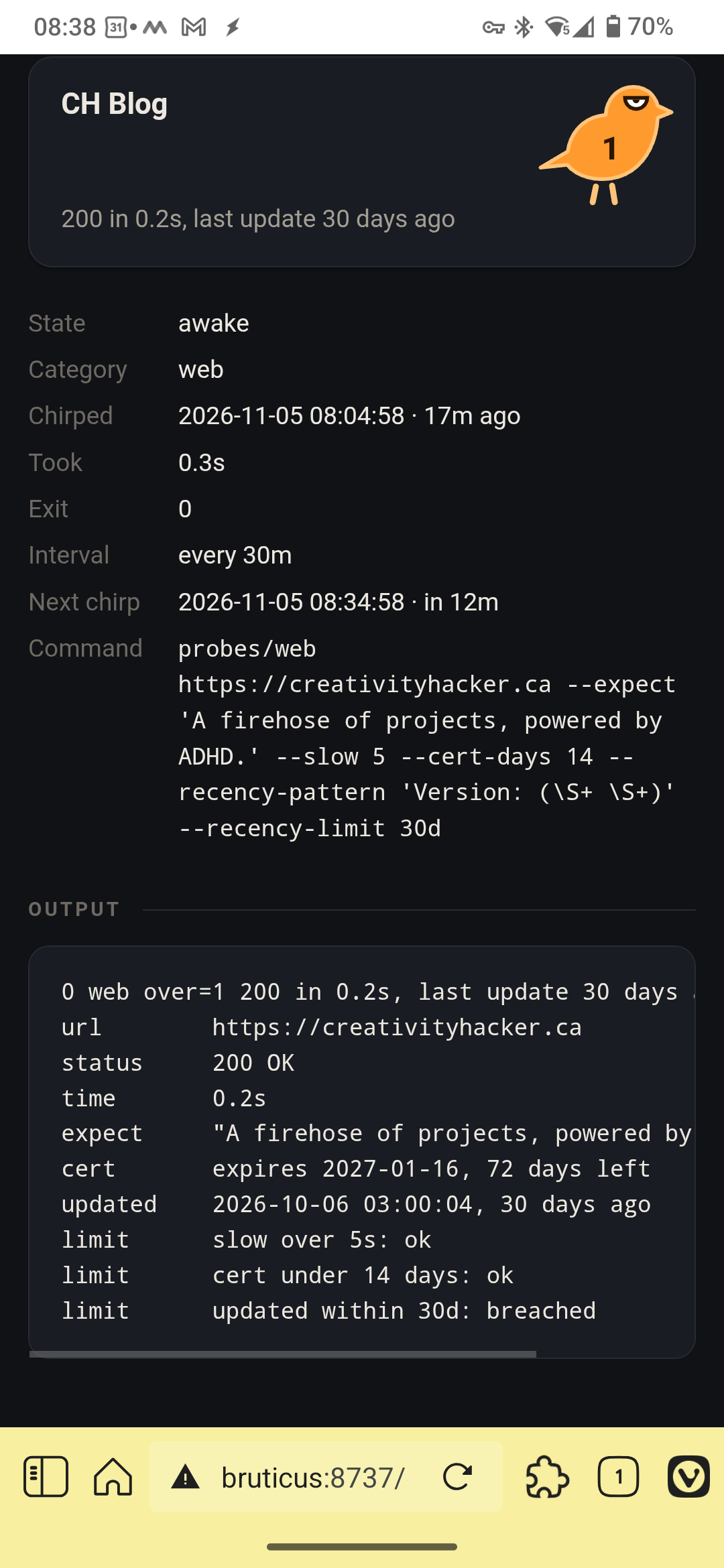
Tap any canary to get the details of it’s most recent report. For example, here’s the report from the one monitoring this website. It showed up orange today, and the line at the bottom tells me why.
As you can see, this canary checks that my site loads in a browser within 5 seconds; that the site certificate is not due to expire within the next 2 weeks, and that the site has been updated within the last 30 days. That last one is and the one that was breached today, and I can make it go quiet again by simply posting a new article. (Such as this one you’re reading now. 😃)
And that’s the secret sauce of CanaryWall - you don’t clear the trouble light and then go fix the issue - the only way to quiet a canary is to fix the thing that woke it up. So the board can never be wrong.
For me, it’s the perfect compromise between being diligent and becoming a slave to my own services. And since it’s a fairly easy tool to set up for anyone who can write a simple script, I’ve shared the project over on codeberg.
Let me know if you take it for a spin. I’d love to hear what you think.